Wednesday, February 5, 2014
Download your Facebook, A look back anniversary VIDEO: you can do this also for a friends video
Here are the 5 quick & simple steps as shown in the video
1. locate the video on your page or your friends page
2. copy the URL at the top
3. go to http://downvids.net
4. paste the video link
5. click download
It save it in Mp4 format
How to Download your Facebook anniversary video using,http://downvids.net, A look back, when you joined, best likes, your most likes, photo's you have shared,


Wednesday, January 22, 2014
How to get Wifi Channel of the networks around you using Windows 7 without a third party software just command prompt

The quickest way to do this with out using any third party software is to run the following command right form your command prompt.
1. from the Start menu in the search type > CMD
2. when the command prompt loads up type > netsh wlan show network mode=bssid
You will get all the following information about the wireless networks around you:
example:
SSID X : NAMEWIFI
Network type : Infrastructure
Authentication : WPA2-Personal
Encryption : CCMP
BSSID 1 : XX:XX:XX:XX
Signal : 80%
Radio type : 802.11n
Channel : 6
Basic rates (Mbps) : 1 2 5.5 11
Other rates (Mbps) : 6 9 12 18 24 36 48 54
TIP: You can also save the file to a location by using the following command instead:
> netsh wlan show network mode=bssid > c:\test.txt
Sunday, January 5, 2014
Wordpress SNOW how to bring it back!
As many of you might have seen after Jan 4th each year Wordpress Turns off the snow option under the general settings of your website. I wanted to keep it longer this year because out here it's still snows way after January 4th I searched around for some Snow Plugin that will keep the same or similar effect, after going through about 5 the closet one I found was called:
WP Snowfall Plugin

Here is a link to the plugin: http://wordpress.org/plugins/wp-snowfall/
Let me know if anyone out there has a better one. The only thing I don't like about this one is that it doesn't respond to the mouse activity like the original wordpress snowfall. It's also my understanding that the option is seasonal and there is no way to bring it back.
WP Snowfall Plugin

Here is a link to the plugin: http://wordpress.org/plugins/wp-snowfall/
Let me know if anyone out there has a better one. The only thing I don't like about this one is that it doesn't respond to the mouse activity like the original wordpress snowfall. It's also my understanding that the option is seasonal and there is no way to bring it back.
Thursday, December 19, 2013
Wordpress Fix, How to change the Default URL SQL Godaddy
Here is a video on how to fix the default link to the database
Monday, December 9, 2013
Installed WP Rss Poster and getting the following error messages as soon as I enable the plugin:
Installed WP Rss Poster and getting the following error messages as soon as I enable the plugin:
Warning: Creating default object from empty value in /home/andyfallon14/public_html/waterbury/wp-content/plugins/wp-rss-poster/admin/admin.php on line 25
Warning: Cannot modify header information - headers already sent by (output started at /home/andyfallon14/public_html/waterbury/wp-content/plugins/wp-rss-poster/admin/admin.php:25) in /home/andyfallon14/public_html/waterbury/wp-includes/option.php on line 563
Warning: Cannot modify header information - headers already sent by (output started at /home/andyfallon14/public_html/waterbury/wp-content/plugins/wp-rss-poster/admin/admin.php:25) in /home/andyfallon14/public_html/waterbury/wp-includes/option.php on line 564
does anyone have any Idea how to fix it have searched online and looked into it on my own but I'm not able to find a solution at this time.

Warning: Creating default object from empty value in /home/andyfallon14/public_html/waterbury/wp-content/plugins/wp-rss-poster/admin/admin.php on line 25
Warning: Cannot modify header information - headers already sent by (output started at /home/andyfallon14/public_html/waterbury/wp-content/plugins/wp-rss-poster/admin/admin.php:25) in /home/andyfallon14/public_html/waterbury/wp-includes/option.php on line 563
Warning: Cannot modify header information - headers already sent by (output started at /home/andyfallon14/public_html/waterbury/wp-content/plugins/wp-rss-poster/admin/admin.php:25) in /home/andyfallon14/public_html/waterbury/wp-includes/option.php on line 564
does anyone have any Idea how to fix it have searched online and looked into it on my own but I'm not able to find a solution at this time.

My solution was to upgrade to the PRO version of RSS POSTER
Friday, December 6, 2013
Godaddy Will limit the amount of connections to your word-press sites
With out warning Godaddy will completely black you from your wodpress sites. If you wonder if godaddy is blocking you do the following> Open up command prompt and do a trace route to your domain
example >tracert mydomain.com you should get something like the following:
1 2 ms 2 ms 2 ms 74-94-129-222-orleans.ma.hfc.comcastbusiness.net
[74.94.129.222]
2 24 ms 8 ms 11 ms 73.172.204.1
3 16 ms 13 ms 12 ms 68.85.184.141
4 85 ms 78 ms 67 ms 68.85.106.245
5 88 ms 83 ms 84 ms he-2-5-0-0-cr01.newyork.ny.ibone.comcast.net [68
.86.94.201]
6 104 ms 93 ms 101 ms he-4-12-0-0-cr01.ashburn.va.ibone.comcast.net [6
8.86.85.29]
7 73 ms 69 ms 65 ms he-0-11-0-0-pe07.ashburn.va.ibone.comcast.net [6
8.86.83.74]
8 79 ms 93 ms 90 ms 173.167.58.134
9 137 ms 118 ms 123 ms be39.trmc0215-01.ars.mgmt.phx3.gdg [184.168.0.73
]
10 144 ms 140 ms 128 ms be39.trmc0215-01.ars.mgmt.phx3.gdg [184.168.0.73
]
11 *
As you see if it ends with mgmt.phx3.gdg then you are being blocked and you will get request time outs Instead normally it should end in something like this:
secureserver.net Trace Complete!
This is the mail they sent to me after the issue was resolved:
Dear Sir/Madam,
Thank you for contacting Advanced Hosting Support regarding your hosting account,hostmyservices.net.
I understand you have been unable to access your site from the IP 74.XXX.XXX.XXX. While looking into this we found you were correct and your IP had been blocked. We have had to block your IP multiple times in the past as well and this is because you are attempting to login to 2 different static IP wordpress accounts at a frequency of 1 login per site per minute. If you continue the monitoring of your site in this same manner you will be continually blocked and we will be unable to remove the IP address from the block list. Thank you for your understanding in this matter.
Please contact us if you have any further issues.
example >tracert mydomain.com you should get something like the following:
1 2 ms 2 ms 2 ms 74-94-129-222-orleans.ma.hfc.comcastbusiness.net
[74.94.129.222]
2 24 ms 8 ms 11 ms 73.172.204.1
3 16 ms 13 ms 12 ms 68.85.184.141
4 85 ms 78 ms 67 ms 68.85.106.245
5 88 ms 83 ms 84 ms he-2-5-0-0-cr01.newyork.ny.ibone.comcast.net [68
.86.94.201]
6 104 ms 93 ms 101 ms he-4-12-0-0-cr01.ashburn.va.ibone.comcast.net [6
8.86.85.29]
7 73 ms 69 ms 65 ms he-0-11-0-0-pe07.ashburn.va.ibone.comcast.net [6
8.86.83.74]
8 79 ms 93 ms 90 ms 173.167.58.134
9 137 ms 118 ms 123 ms be39.trmc0215-01.ars.mgmt.phx3.gdg [184.168.0.73
]
10 144 ms 140 ms 128 ms be39.trmc0215-01.ars.mgmt.phx3.gdg [184.168.0.73
]
11 *
As you see if it ends with mgmt.phx3.gdg then you are being blocked and you will get request time outs Instead normally it should end in something like this:
secureserver.net Trace Complete!
This is the mail they sent to me after the issue was resolved:
Dear Sir/Madam,
Thank you for contacting Advanced Hosting Support regarding your hosting account,hostmyservices.net.
I understand you have been unable to access your site from the IP 74.XXX.XXX.XXX. While looking into this we found you were correct and your IP had been blocked. We have had to block your IP multiple times in the past as well and this is because you are attempting to login to 2 different static IP wordpress accounts at a frequency of 1 login per site per minute. If you continue the monitoring of your site in this same manner you will be continually blocked and we will be unable to remove the IP address from the block list. Thank you for your understanding in this matter.
Please contact us if you have any further issues.
Wednesday, November 6, 2013
If you plan to Host your website with HostGator! Think again!
Be prepared to be frustrated! just to get someone on chat takes 25 minutes or more most of the time in addition their email support replies about every 10 Hours
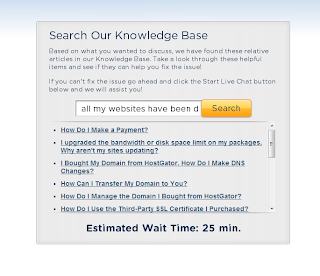
25 Minutes later NO CHAT just this.....

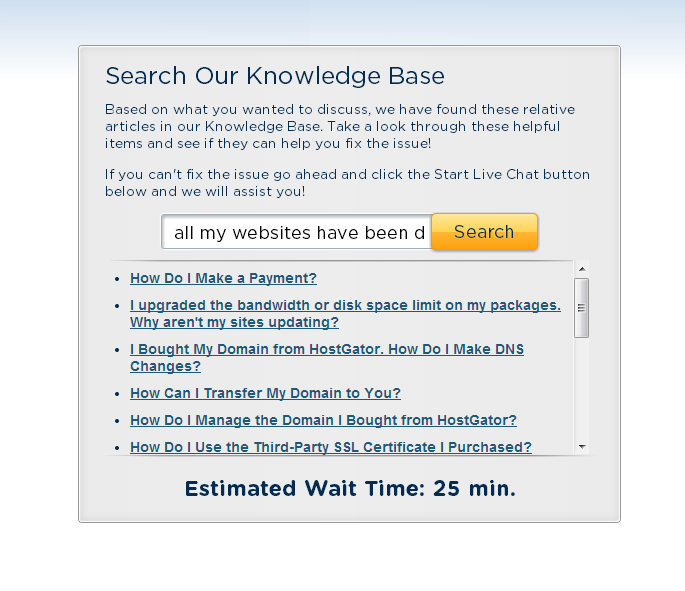
25 Minutes later NO CHAT just this.....

Tuesday, November 5, 2013
HOSTGATOR hosting! issues... They will shutdown you're websites with no for warning
I created a few wordpress sites and there was a process that was stuck and I got an email from Hostgator with the following notice:
Hello,
This message is to advise you of a temporary block placed on your database. The database was found to be consuming an inordinate amount of processor time, to the point of degrading overall system performance. While we do limit each account to no more than 25% of a system's CPU in our terms of service, we do not actively disable accounts until they greatly exceed that number, which is what happened in this case. Requests to this database may become degraded by limiting the maximum number of queries or connections for a limited amount of time, or if there are sustained issues, ultimately we may be forced to block access to this database until the issue has been resolved.
Resolving this situation may be as simple as adding additional indexes to your database, optimizing the queries used, or something equally easy. If not, it may simply be a matter of moving this database to dedicated services, as it may have outgrown a shared environment.
If you believe you have a solution to this overuse, we are happy to discuss the situation with you and possibly reinstate the database on the server. Otherwise, we will be happy to assist you with the upgrade process if a dedicated server is the most appropriate solution. Thank you, and we look forward to hearing from you shortly.
~~~
Excessive MySQL activity is caused by (a) a long-running process that locks a table, causing other queries to back up, (b) a query that is not optimized ][example: select all from ... and involving a large or complex query], (c) huge table copies/maintenance during peak hours.
NOTE:, the following are just possible fixes or suggestions, and are not endorsed or supported by HostGator. They are included in the hope that they may apply to your situation, and/or help you reduce the amount of resources your SQL queries consume. As always, it's best to backup any data before making any changes or adjustments.
First and foremost, you may need to optimize your tables. The frequency depends on the size and usage of the database, but most databases would benefit from doing something like this on a yearly basis: a) Enter your phpMyAdmin/MySQL control panel. Click on the database (not the table, the database name), and on the right hand column your tables should be listed. Scroll down till you see the .Check all. link. Click on that link, make sure all database tables are checked and then from the drop-down next to it, and carefully select .Optimize table..
Additionally, adding indexes to your table(s) may improve performance. If you're not sure what you're doing, it's best not to modify any table; caution is recommended. There are various articles (http://www.developer.com/db/
If you reply back to this with your IP address (http://www.hostgator.com/ip.
And few minutes later all my websites are down! It has been over 24hrs since I have requested access back to my sites so I can install updates, some plugins to cache, and optimize the SQL database
Instead at the current time all I get is this:
Hello,
This message is to advise you of a temporary block placed on your database. The database was found to be consuming an inordinate amount of processor time, to the point of degrading overall system performance. While we do limit each account to no more than 25% of a system's CPU in our terms of service, we do not actively disable accounts until they greatly exceed that number, which is what happened in this case. Requests to this database may become degraded by limiting the maximum number of queries or connections for a limited amount of time, or if there are sustained issues, ultimately we may be forced to block access to this database until the issue has been resolved.
Resolving this situation may be as simple as adding additional indexes to your database, optimizing the queries used, or something equally easy. If not, it may simply be a matter of moving this database to dedicated services, as it may have outgrown a shared environment.
If you believe you have a solution to this overuse, we are happy to discuss the situation with you and possibly reinstate the database on the server. Otherwise, we will be happy to assist you with the upgrade process if a dedicated server is the most appropriate solution. Thank you, and we look forward to hearing from you shortly.
~~~
Excessive MySQL activity is caused by (a) a long-running process that locks a table, causing other queries to back up, (b) a query that is not optimized ][example: select all from ... and involving a large or complex query], (c) huge table copies/maintenance during peak hours.
NOTE:, the following are just possible fixes or suggestions, and are not endorsed or supported by HostGator. They are included in the hope that they may apply to your situation, and/or help you reduce the amount of resources your SQL queries consume. As always, it's best to backup any data before making any changes or adjustments.
First and foremost, you may need to optimize your tables. The frequency depends on the size and usage of the database, but most databases would benefit from doing something like this on a yearly basis: a) Enter your phpMyAdmin/MySQL control panel. Click on the database (not the table, the database name), and on the right hand column your tables should be listed. Scroll down till you see the .Check all. link. Click on that link, make sure all database tables are checked and then from the drop-down next to it, and carefully select .Optimize table..
Additionally, adding indexes to your table(s) may improve performance. If you're not sure what you're doing, it's best not to modify any table; caution is recommended. There are various articles (http://www.developer.com/db/
If you reply back to this with your IP address (http://www.hostgator.com/ip.
And few minutes later all my websites are down! It has been over 24hrs since I have requested access back to my sites so I can install updates, some plugins to cache, and optimize the SQL database
Instead at the current time all I get is this:
Error establishing a database connection
I'm still wasting to come back up but this is a forewarning for anyone that was planning to host Wordpress on Hostgator!
I only have a shared server account a dedicated server is way to expensive! let me know if anyone recommends a be
 tter solution.

Wednesday, July 10, 2013
COPYRIGHT ISSUE AND GODADDY.COM
The worse thing that can happen to your website(s)

This site is currently unavailable.
If you are the owner of this site, please contact us at 1-480-505-8855 at your earliest convenience.
I got the above notice when trying to access my sites they took down all my sites because someone had made a complaint that I had some copy written material on one of my sites, The email was sent to an old address so I never got the message and didn't delete the data.Three days later I see this and contact godaddy only to find out that my ICANN information was not correct and was fined $20.00 on top of that there was nobody I could talk to in regards to the issue above I was forced to reply only by email. I promptly replied but however it still took 3 days to get my sites back up this was a total nightmare!!! my advise to anyone that encounters this issue is to make sure to get rid of the data thats offensive and write a statement similar to this and send it to godaddy:
| I, John Doe, under penalty of perjury, state that I will remove the offending content at [insert full URL] promptly after the reactivation of my services. /John Doe/ John Doe that should speed up the processing, In my case I didn't have someone else article on my site it was a WordPress RSS feed news aggregator that caused the issue and posted some items from a celebrity site Please feel free o leave some feedback if you have any additional information on this issue. |
Wednesday, October 3, 2012
A great alternative to high data plan bills! FREE WIFI & FREE CELLPHONE DATA PLAN
While in my travels I came across a radio news article in NPR news in regards to a new type of data service provided by a company called Freedom POP, I quickly went on my mobile phone and started researching this company here is a link to them: http://www.freedompop.com/plans.htm
FREE WiFi and FREE cell phone data plan all you have to do is buy the device sounds to good to be true. There are some limitations and you do have to buy the device, witch I plan to order soon and update my blog on the experiences with the device.

I plan to use it in 4 different states, New Hampshire, New York, Massachusetts and Vermont so I should have a good overview on how good it works from different locations.
I would like more insight on this product so if you have any experiences with it feel free to comment.
Here are the spec's
FREE WiFi and FREE cell phone data plan all you have to do is buy the device sounds to good to be true. There are some limitations and you do have to buy the device, witch I plan to order soon and update my blog on the experiences with the device.
I plan to use it in 4 different states, New Hampshire, New York, Massachusetts and Vermont so I should have a good overview on how good it works from different locations.
I would like more insight on this product so if you have any experiences with it feel free to comment.
Here are the spec's
100% free high speed internet – any device, anywhere!
- Free Data - guaranteed 500MB FREE every month
- Fast Speeds - internet at 4G speeds (10x faster than 3G)
- No Gimmicks - no data caps or throttling speeds
- Take It With You - use at home, the office, or wherever you go
- No Contracts - cancel anytime without fees or commitment
Tuesday, October 2, 2012
I love getting this email from google!
You've been issued a payment from Google AdSense
Hello,
Please note that we've recently issued a payment to you for your AdSense earnings. Your payment represents the total of your finalized earnings accumulated through the end of last month.
For more information, please log into your account and visit your "Payments" page. Depending on your form of payment, you may also be able to find a reference number there to track or pick up your payment.
Remember, if Electronic Funds Transfer (EFT) is available in your country, we recommend it as a faster and more reliable form of payment. For more information, please visit the following link: "How do I sign up for Electronic Funds Transfer?"
Congratulations! We hope you receive your payment soon.
Sincerely,
The Google AdSense Team
Will also post payment proof!
.jpg)
Monday, October 1, 2012
Facebook Password Hack
I wanted to write about this because I know a lot of people are concerned about this issue.
Can/How someone steal your Facebook Password ?
After all my research on this the answer is NO! they cannot unless you give it to them, email, fax, mail or they are looking over your shoulder. But they can go
THAT DOESN'T STOP THEM FROM GOING PHISHING FOR IT:
Now there is some trickery involved where they can have access. Facebook has worked really hard to prevent these things from happening so their security is pretty tight.
.jpg) One way someone can get your password is by using a fake link also known as PHISHING basically you are typing your username and password into a website that looks like facebook.com but it really is now a PHISHING site and your hooked!, if you look in the address bar aka the URL at the top of your web browser, were you type http:// the link will show something suspicious witch does not end on facebook.com for example a fishing site would use something like facebook.gamesafer.com if you look at the link it doesn't have facebook.com.
One way someone can get your password is by using a fake link also known as PHISHING basically you are typing your username and password into a website that looks like facebook.com but it really is now a PHISHING site and your hooked!, if you look in the address bar aka the URL at the top of your web browser, were you type http:// the link will show something suspicious witch does not end on facebook.com for example a fishing site would use something like facebook.gamesafer.com if you look at the link it doesn't have facebook.com.
Facebook tries to prevent you from clicking on links like this by warning you that you are leaving facebook.com However if the PHISHING spammer aka stalker sends a email message a link to you using another service facebook will not be able to warn you.
So when you type your user name and a password it fails and then you are redirected to the correct facebook.com site making it almost impossible for you to realize that you have now sent your password to someone.
things to look out for is the https:// and also the facebook.com in the URL and you should be safe.
Facebook also keeps your session open for about 15 minutes
and browsers also save your password this means the person will not know your password but they will have access to your account, so when your browser prompts you for "do you want explorer to remember password" keep in mind you have now saved it so anyone that goes online can also login.
Can/How someone steal your Facebook Password ?
After all my research on this the answer is NO! they cannot unless you give it to them, email, fax, mail or they are looking over your shoulder. But they can go
THAT DOESN'T STOP THEM FROM GOING PHISHING FOR IT:
Now there is some trickery involved where they can have access. Facebook has worked really hard to prevent these things from happening so their security is pretty tight.
Facebook tries to prevent you from clicking on links like this by warning you that you are leaving facebook.com However if the PHISHING spammer aka stalker sends a email message a link to you using another service facebook will not be able to warn you.
So when you type your user name and a password it fails and then you are redirected to the correct facebook.com site making it almost impossible for you to realize that you have now sent your password to someone.
things to look out for is the https:// and also the facebook.com in the URL and you should be safe.
Facebook also keeps your session open for about 15 minutes
and browsers also save your password this means the person will not know your password but they will have access to your account, so when your browser prompts you for "do you want explorer to remember password" keep in mind you have now saved it so anyone that goes online can also login.
Simple Wordpress Plugin for Verifying Google Webmaster
I tried several plugins to verify the Google Webmaster Meta Tag.
There is many out there and a lot of them make this simple process a lot more confusing than it needs to be, after trial an error on a few of them I found the most up front and simple way to do this and it works almost immediately after you add the TAG.


There is many out there and a lot of them make this simple process a lot more confusing than it needs to be, after trial an error on a few of them I found the most up front and simple way to do this and it works almost immediately after you add the TAG.
THE PLUGIN NAME IS
Google Site Verification Meta Tag
1. Search for the plugin in WordPress
2. Install & Activate the plugin
3. Go to the settings for the plugin
4. Enter the following: from Webmaster tools Tag to the WordPress Plugin see screen print

Thursday, September 27, 2012
Facebook Fanpage generating following error
Example: Limits have been placed on (your fan page)
Your Page's posts are blocked from appearing in News Feed. This limit is temporary and expires Saturday, October 27 at 12:49pm.
And you can
do one of the following
Learn More - Appeal
here is a screen print:

I went ahead and Appealed, this! does anyone know why I'm getting this notification ? or have any information in regards to this ?
Update: After Appealing I actually got a reply from Facebook and this was the information they gave me:
Thanks for your inquiry. To help keep our policies simple while delivering great social networking experiences to users, our automated systems restrict Pages providing poor user experiences. Our systems use a variety of signals to assess user experience, such as user feedback on a Page's communications and on the Page itself.
We've checked out the circumstances of your Page's restriction, and we found that your Page received strong negative feedback from users and their friends. This denotes a poor user experience and amounts to a violation of our Facebook Page Guidelines (https://www.facebook.com/For Pages you'd like to launch in the future, please first make adjustments to ensure you're providing a good user experience and meeting our policies.
Thanks,
The Facebook Pages Team
Tuesday, August 21, 2012
Is there Really away to make money online ? Part3 ADFOC.US
YES HERE IS ANOTHER WEBSITE THAT PAYS YOU ! ADFOC.US
This site is 3RD on My online money making list
Keep in mind these ideas can be time consuming but it can be done. I doubt that you will become a millionaire but making a nice income online is possible.
Let's start with the 3rd website that pays for visits/clicks:
ADFOC.US
UPDATE: I got the following hold on my account a month ago and I still have not recevied any money from Adfocus I will keep everyone updated but at the current time this seems to be a BIG SCAM!

if you enjoy my blog please use this reference link to register:

These are adfly links you can look at part 1 on how to make money online for more information:
http://adf.ly/9ipd5
This site is 3RD on My online money making list
Keep in mind these ideas can be time consuming but it can be done. I doubt that you will become a millionaire but making a nice income online is possible.
Let's start with the 3rd website that pays for visits/clicks:
ADFOC.US
UPDATE: I got the following hold on my account a month ago and I still have not recevied any money from Adfocus I will keep everyone updated but at the current time this seems to be a BIG SCAM!

if you enjoy my blog please use this reference link to register:
They basically have two types of Adds a full page add wich is displayed for 5 secounds and then the users can click skip to get to the page that they are trying to get too for example here are some of the links I created. You only make about 1/2 a penny per visit but if you can turn that into Thousands then some serious money can start rolling in.
Here are the links I have created using
ADFOC.US any of these links will make me money, I can post them in my blog websites etc, and get paid !

Here is a list of some of my ADFOCUS links that I'm currently using to generate money!
These are adfly links you can look at part 1 on how to make money online for more information:
http://adf.ly/9ipd5
It's unlimited the amount of links that you can create the more the better ! the more you can put out there
Some tips and tricks!
- when a friend asks you for a link create a short link using
ADFOC.US and send him that link instead
- add the links to your blog
- when you post a link on social media websites like facebook, Twitter use the short links to make money!
Leave a comment and tell me about your experience with them
Is there Really away to make money online ? Part2 LNX.LU
YES THERE IS HERE ARE SOME QUICK AND SIMPLE WAYS
Keep in mind these ideas can be time consuming but it can be done. I doubt that you will become a millionaire but making a nice income online is possible.
Let's start with the 1st website that pays for visits/clicks:
LNX.LU

Keep in mind these ideas can be time consuming but it can be done. I doubt that you will become a millionaire but making a nice income online is possible.
Let's start with the 1st website that pays for visits/clicks:
LNX.LU
They basically have two types of Adds a full page add wich is displayed for 5 secounds and then the users can click skip to get to the page that they are trying to get too for example here are some of the links I created. You only make about 1/2 a penny per visit but if you can turn that into Thousands then some serious money can start rolling in.
Here are the links I have created using Adfly any of these links will make me money, I can post them in my blog websites etc, and get paid !
Website Address
It's unlimited the amount of links that you can create the more the better ! the more you can put out there
Some tips and tricks!
- when a friend asks you for a link create a short link using LNX.LU and send him that link instead
- add the links to your blog
- when you post a link on social media websites like facebook, Twitter use the short links to make money!
Leave a comment and tell me about your experience with them
Saturday, August 11, 2012
DDoS attacks are caused by Short link URL providers.
This is Just a thought that I came across while researching ways to make money online and thinking about all the recent news and rumors about DDoS (distributed denial of service attack) attacks around the same time I also received an email from Intermedia.com reporting possible DDoS attacks against NetworkSolutions.com .
Let me explain, I have noticed a huge number of new link shorting companies that are willing to pay if you use their services to shorten your links.
They normally pay a small amount (ranging from $4-6.50) per 1,000 visits.
I noticed however that when you create the short link the new link they provide is under their domain this means that at any given time they can point all their traffic to a specific IP bringing down any server that can't handle the traffic.
Let me know what are your thoughts on the possibility of this being true.

Let me explain, I have noticed a huge number of new link shorting companies that are willing to pay if you use their services to shorten your links.
They normally pay a small amount (ranging from $4-6.50) per 1,000 visits.
I noticed however that when you create the short link the new link they provide is under their domain this means that at any given time they can point all their traffic to a specific IP bringing down any server that can't handle the traffic.
Let me know what are your thoughts on the possibility of this being true.

Thursday, August 9, 2012
How to configure WordPress to post emails
ISSUE:
How to send an email to post to your wordpess blog, in other words how to post to your blog using email
WARNING this does not support SSL so Gmail.com account will not work in my examples I used an email account with Godaddy and also PowerDNN
Client was getting press releases and posting them to his wordpress blog, however that takes up a lot of time as he has to take the email create a word document and finally copy and paste it into the wordpress log.
Wouldn't it be nice to just have the emails just post them self's.
Wouldn't it be even nicer to just have the website update anything that you email to it.
This is not a perfect world but wordpress tries to accommodate, so I'm here to post how it's done.
There a lot of technical gorgon if you search on this topic on the web or Google and I just want to make it simple and easy for you to accomplish this task, don't worry I will not tell anyone that you are a Newbee
Here are some of the sites that provide a more detail explanation on how to do this in case you get stuck or want to spend endless hours drowning/reading
http://codex.wordpress.org/Post_to_your_blog_using_email
The Quick simple way is here:
1. go to your dashboard under settings click "writing"
2. look at the section: Post via e-mail
3. Create a new email account using the name that are give under the Post via e-mail section:
3. Add a new user with that email address crXwewUJaa@yourdomain.com as an editor or administrator
4. Add another user with the email address you plan to send from
5. Send a message to crXwewUJaa@yourdomain.com
6. Then you can go to http://yourdomain.com/wp-mail.php
and if your lucky you will see the subject line and email that you sent to it.
However most of us will get some errors as I did, the most annoying one is:
Slow down cowboy, no need to check for new mails so often!
This happens when you try to refresh the email page to quick and there is no new messages in your blog another way to check is by going to your ALL post page and seeing if there is anything new.
you might also get:
POP3 connect: Error [13] [Permission denied]
This is because 1 your using SSL, 2 your settings are not configured properly, 3 your email account is not authorized to send to the blog so the user sending the email is not in the user database
let me know if you have any issues with it and I will help

How to send an email to post to your wordpess blog, in other words how to post to your blog using email
WARNING this does not support SSL so Gmail.com account will not work in my examples I used an email account with Godaddy and also PowerDNN
Client was getting press releases and posting them to his wordpress blog, however that takes up a lot of time as he has to take the email create a word document and finally copy and paste it into the wordpress log.
Wouldn't it be nice to just have the emails just post them self's.
Wouldn't it be even nicer to just have the website update anything that you email to it.
This is not a perfect world but wordpress tries to accommodate, so I'm here to post how it's done.
There a lot of technical gorgon if you search on this topic on the web or Google and I just want to make it simple and easy for you to accomplish this task, don't worry I will not tell anyone that you are a Newbee
Here are some of the sites that provide a more detail explanation on how to do this in case you get stuck or want to spend endless hours drowning/reading
http://codex.wordpress.org/Post_to_your_blog_using_email
The Quick simple way is here:
1. go to your dashboard under settings click "writing"
2. look at the section: Post via e-mail
3. Create a new email account using the name that are give under the Post via e-mail section:
Post via e-mail
To post to WordPress by e-mail you must set up a secret e-mail account with POP3 access. Any mail received at this address will be posted, so it’s a good idea to keep this address very secret. Here are three random strings you could use: crXwewUJaa, hqwdavQu1fp, OzeqdqMuLSp.
so in this example it would be something like crXwewUJaa@yourdomain.com
WARNING this does not support SSL so Gmail.com (ssl://pop.gmail.com didn't work this will only work if your .php code is modified to use SSL ) account will not work in my examples I used an email account with Godaddy and also PowerDNN
3. Add a new user with that email address crXwewUJaa@yourdomain.com as an editor or administrator
4. Add another user with the email address you plan to send from
5. Send a message to crXwewUJaa@yourdomain.com
6. Then you can go to http://yourdomain.com/wp-mail.php
and if your lucky you will see the subject line and email that you sent to it.
However most of us will get some errors as I did, the most annoying one is:
Slow down cowboy, no need to check for new mails so often!
This happens when you try to refresh the email page to quick and there is no new messages in your blog another way to check is by going to your ALL post page and seeing if there is anything new.
you might also get:
POP3 connect: Error [13] [Permission denied]
This is because 1 your using SSL, 2 your settings are not configured properly, 3 your email account is not authorized to send to the blog so the user sending the email is not in the user database
let me know if you have any issues with it and I will help
Wednesday, August 8, 2012
How to remove checkboxes from desktop icons
HERE IS THE QUICK FIX
Option 1: Go to START > in the search box type "folder options" select folder options go to the view tab and unchecked Use Check boxes to select items
Option 2: Go to Control Panel -> Appearance and Personalization -> Click Folder Options > Click View tab uncheck Use Check boxes to select items

ISSUE
for Windows 7 or Vista
I have had this question posed to me in many different ways:
- On my desktop, all of my icons have a little check box in the
upper-right hand corner, I find this irritating and was hoping I could remove
the check boxes from the icons.
- Check mark boxes next to desktop icons
- Upon start up today, I noticed check mark boxes next to my desktop icons and other folders. They pop up when I hover over the icon or folder.
Thursday, August 2, 2012
Quick Guide on how to create and then install windows 7 using a 4GB or more USB drive
THIS IS A QUICK & SIMPLE GUIDE on How to create a USB installation drive and install windows 7 using a USB installation drive

Issue: I had several laptops that I need to install Windows 7 on, however the laptops didn't have a DVD drive so I couldn't just pop-in the Windows 7 DVD and install.
Two things you need:
1. USB 4GB or more
2. A valid copy of windows 7 or windows 8, (ISO, Files or a DVD)
In this example the following is used
reference
USB Hard-drive = Disk 1, F:
DVD drive = D:\
--------------------------------------------------------------------------------
This is a Quick guide follow the steps and it will work, I will not go into detail about each step
1. Open up your command prompt as administrator
2. Type: LIST DISK (find the USB on the list reference the size)
3. SELECT DISK 14. CLEAN
5. CREATE PARTITION PRIMARY
6. SELECT PARTITION 1
7. ACTIVE
8. FORMAT FS=NTFS (this might take a few minutes)
9. ASSIGN
10. EXIT
Ope another command prompt window
11.D: CD BOOT
12.CD BOOT
13. BOOTSECT.EXE /NT60 F:
14. Copy all the windows installation files to the USB drive
15. Restart the computer
16. Boot from USB
17. Install windows
If you get confused performing any of the above steps feel free to email me support@hostmyservices.com or leave a comment
Subscribe to:
Posts (Atom)